Exam Calendar Planning Guide: Build a Zero-Miss Application System Across Major Exams
Build a reliable exam application planning system with calendar tracking, deadline buffers, document vault management, and weekly review habits.
Let me tell you about the stupidest mistake I’ve ever made in my exam preparation journey. It was April 2024, and I’d been studying for SSC CGL for seven months. My preparation was solid—I was scoring well in mocks, my speed had improved, and I felt genuinely ready. Then one evening, while scrolling through a preparation forum, I saw someone mention that SSC CGL Tier-I applications had closed three days ago.
Three days. I’d missed the deadline by three days.
I hadn’t received an email notification (turns out it went to my spam folder). I hadn’t checked the SSC website because I’d assumed I’d get notified. I hadn’t marked it on any calendar because I thought I’d “remember” when it was time. Seven months of intense preparation, and I couldn’t even appear for the exam because I missed a submission window.
That failure taught me something crucial that no coaching institute ever emphasizes: most candidates don’t fail exams because they lack talent or preparation. They fail the application process because they lack a systematic planning workflow. Overlapping notifications, short submission windows, scattered reminders, document version confusion, payment deadline chaos—it all adds up to missed opportunities that have nothing to do with your actual potential.
A zero-miss application system isn’t about working harder or being more stressed. It’s about building a routine that runs in the background of your preparation, catching deadlines and document requirements automatically so you can focus your mental energy on actually studying. Let me show you exactly how to build this system.
The Master Calendar: Your Single Source of Truth
After missing that SSC deadline, I spent an entire weekend building what I now call my Master Exam Calendar. Not a collection of phone reminders or sticky notes, but one central dashboard that tracks every single deadline across every exam I’m targeting. This has been running for nearly two years now, and I haven’t missed a single deadline since.
Here’s what changed: instead of tracking exams individually, I started tracking five critical dates for every exam I cared about.
Notification release date. This is when the official notification PDF is published. For most government exams, this happens 4-8 weeks before the application deadline. Why track this specifically? Because the notification contains the final, authoritative requirements—photo dimensions, document formats, eligibility criteria, syllabus changes. I’ve seen candidates prepare documents based on last year’s requirements, only to find out the current notification changed the photo size or added a new document requirement. By tracking notification release, I can review requirements the moment they’re official and prepare documents correctly from the start.
Application start and end dates. This seems obvious, but there’s a subtlety most people miss. I track both the start and end dates because some exams have limited application slots. I learned this the hard way with a state-level exam that had a 15-day application window but closed in 6 days because they reached maximum applicants. Now I track start dates so I can apply early for exams where competition for slots is high. And I obviously track end dates so I know my deadline.
Fee payment deadline. This is often different from the application submission deadline, and that difference has caught out many people I know. You might submit your form on the last day and think you’re done, only to realize the payment deadline was actually two days before form submission closed, and now the payment gateway won’t accept your transaction. I track payment deadlines separately and always pay at least 24 hours before this deadline to account for payment gateway failures, bank processing delays, or server congestion.
Correction window dates. Most major exams have a 3-7 day window after submission where you can log in and correct certain fields if you made a mistake. I used this once to fix a wrong category selection in an IBPS form that I’d rushed through. But here’s the thing: if you don’t track when this window opens and closes, you’ll miss it. The window is usually announced after applications close, so I set a reminder to check the exam website 3-5 days after the application deadline to catch the correction window announcement.
Admit card release and exam date. This seems far ahead, but tracking it in the same calendar gives me visibility into how close multiple exams are to each other. Last year I discovered that two exams I’d applied for were scheduled just four days apart. That advanced notice let me prioritize preparation for the more important one and adjust my study schedule. Without the calendar showing both exam dates together, I’d have realized the clash only a week before exams, when it was too late to reoptimize.
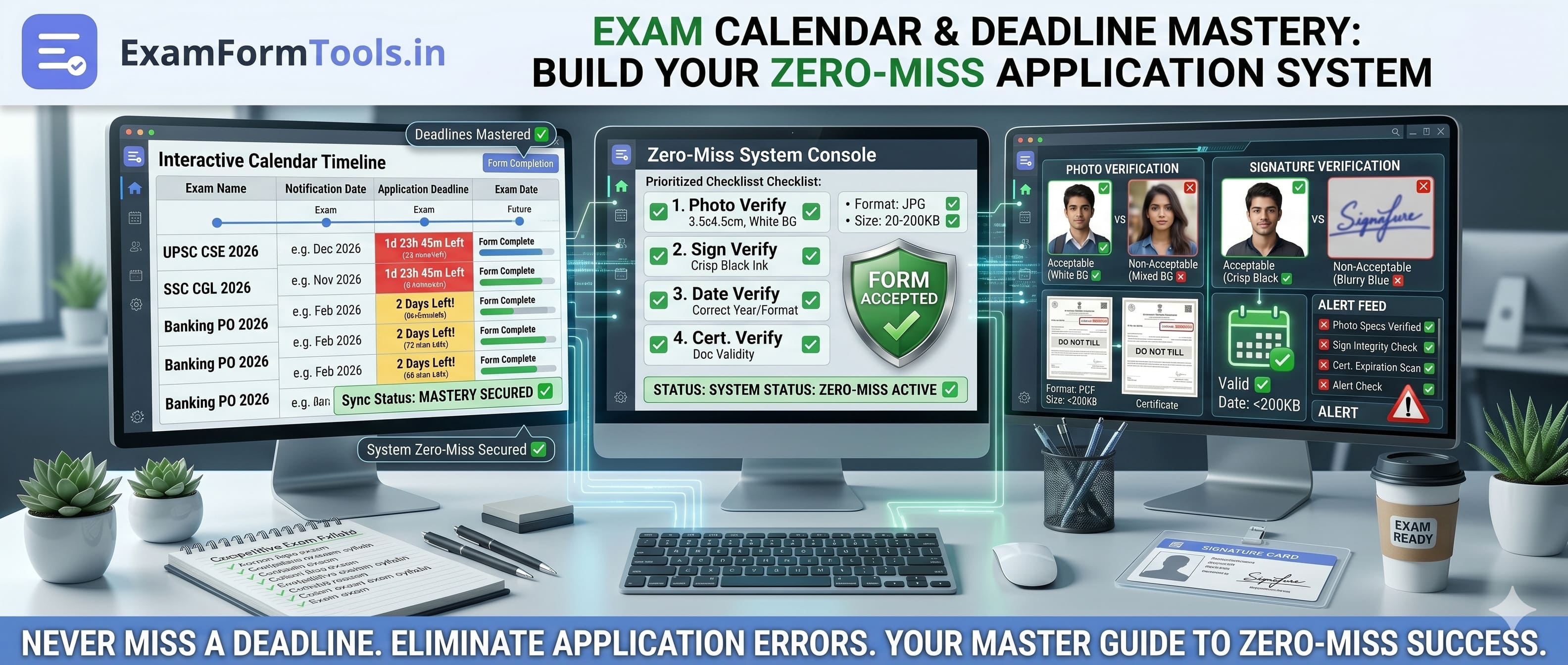
I maintain this in a Google Sheet with one row per exam and columns for each of these dates. The sheet has conditional formatting—cells turn yellow when a deadline is 7 days away and red when it’s 3 days away. This visual system means I can glance at the calendar once and immediately see what needs attention this week.
The transformation wasn’t subtle. Before this calendar, I was constantly anxious about whether I was forgetting something. Now, every Sunday evening I open the sheet, see what’s coming up, and plan my week accordingly. The anxiety is gone because the system carries the cognitive load instead of my brain.
Buffer Deadlines: Never Submit on the Last Day
Here’s a principle I follow religiously now: my personal deadline is never the official deadline. I learned this from a senior who’d cleared UPSC CSE, and it’s probably the single best tactical advice I’ve received about exam applications.
Official deadlines are designed for the portal and the exam authority, not for you. They don’t account for payment gateway crashes (happens almost every exam), server overload (extremely common on the last day), sudden document requirement clarifications (I’ve seen this happen 48 hours before deadline), or just the simple human reality that rushing leads to mistakes.
So I build buffers. Personal deadlines that are always before the official ones, giving me room to handle problems without panic.
T-7 days: Document readiness checkpoint. Seven days before the official deadline, I do a complete document inventory. I open my document vault (more on this in the next section) and verify I have every required document in the correct format and specifications. If something is missing or needs updating—maybe my photo is from two years ago and looks noticeably different now, or a certificate scan is blurry—I handle it this week. Seven days is enough time to get new photos taken, rescan certificates, or even request new copies from my university if needed. This checkpoint has saved me multiple times when I discovered issues that would have been impossible to fix with 48 hours’ notice.
T-3 days: Form fill and file upload. Three days before the official deadline, I fill out the entire form and upload all documents. Not a draft—the complete, final submission minus payment. Why so early? Because filling forms reveals unexpected problems. A field you didn’t prepare for. An upload that fails because of file format issues even though you checked specifications. A document requirement that’s ambiguous and needs clarification from helpdesk. At T-3 days, I have time to solve these problems. I once discovered that an exam portal wouldn’t accept PDFs scanned in landscape orientation, only portrait. If I’d found this on the last day, I’d have been scrambling. At T-3, I simply rescanned the documents, re-uploaded, and moved on.
T-1 day: Payment and final verification. One day before the official deadline, I complete payment and do a full verification. I log back into the portal, check that all fields saved correctly, verify all uploaded files are visible in the application preview, confirm payment status shows as “Success,” and download my application PDF and receipt. Then I check my email to make sure I received the confirmation email with the registration number. This verification catches the occasional glitch where payment succeeded but the application status didn’t update, or where a file upload appears successful in your session but didn’t actually save to the server.
These buffers mean that on the official last day, my form is already submitted and verified. I’m not competing with millions of other candidates for server bandwidth. I’m not panicking over payment gateways timing out. I’m calmly reviewing my application and maybe doing a few practice questions instead.
I’ll be very direct: if your plan is to submit on the official last day, you’re planning to fail. Maybe you’ll get lucky and everything will work. But across dozens of applications, your luck will run out. Buffered deadlines aren’t paranoia—they’re insurance against the hundred small things that go wrong in online submissions.
The Document Vault: Organize Once, Use Forever
This is the part of my system that saves me the most time, and I genuinely wish someone had shown me this structure during my first exam application.
Before I built my document vault, every application was chaos. I’d scramble to find my 10th marksheet, re-scan my category certificate, resize photos from scratch, and then lose track of which version I’d uploaded where. The same documents, prepared repeatedly, often slightly differently, with no consistency.
Now I have a folder structure on my computer—backed up to Google Drive and an external hard drive—that looks like this:
Document Vault/
├── Identity Proofs/
│   ├── Aadhaar_Original.pdf
│   ├── PAN_Original.pdf
│   └── Voter_ID_Original.pdf
├── Education Records/
│   ├── 10th_Marksheet_Original_600dpi.pdf
│   ├── 10th_Certificate_Original_600dpi.pdf
│   ├── 12th_Marksheet_Original_600dpi.pdf
│   ├── Graduation_Marksheet_All_Semesters_Original_600dpi.pdf
│   └── Graduation_Degree_Original_600dpi.pdf
├── Category and Domicile/
│   ├── OBC_Certificate_Original_600dpi.pdf
│   ├── Domicile_Certificate_Original_600dpi.pdf
│   └── EWS_Certificate_2026_Original_600dpi.pdf
└── Photos and Signatures/
    ├── Passport_Photo_2026_1200x1600_Original.jpg
    ├── Passport_Photo_300x400_90KB_v1.jpg
    ├── Passport_Photo_350x450_100KB_v1.jpg
    ├── Signature_Original_Scan_600dpi.jpg
    ├── Signature_300x100_White_BG_30KB_v1.jpg
    └── Signature_200x75_White_BG_20KB_v1.jpg
Every file follows a strict naming convention: DocumentType_Specifications_Version.extension. This naming system means I can find any file in under 10 seconds. Need a 300x400 passport photo under 100KB? I don’t have to open files to check—the filename tells me exactly what it is.
The “Photos and Signatures” folder deserves special attention. I maintain one high-resolution original photo and then multiple pre-prepared versions at common exam requirements. Most government exams want either 300x400 or 350x450 pixels for photos, so I keep both ready. Some want signatures at 300x100, others at 200x75. By preparing these variants once and storing them with clear names, I eliminate the repeated work of resizing and compressing for every single application.
But here’s the critical part that most people miss: I also store version metadata. In a simple text file called Document_Log.txt in the vault, I track:
Passport Photo v1 - Created 2026-01-15 - Used for: SSC CGL, IBPS PO, RRB NTPC
Signature v1 - Created 2026-01-15 - Used for: SSC CGL, IBPS PO
OBC Certificate - Issued 2025-06-10 - Valid until 2026-06-10
EWS Certificate - Issued 2025-12-01 - Valid until 2026-03-31 (EXPIRING SOON)
This log tells me at a glance which documents are fresh and which are approaching expiration. Caste and income certificates often have 6-month or 1-year validity periods. If I don’t track this, I’ll upload an expired certificate and get rejected at the verification stage—something that’s happened to two people I know personally.
The vault system means that when I start a new application, I don’t create documents—I shop for them. I open my vault, grab the files that match the notification requirements, and I’m done. Document preparation time has dropped from 2-3 hours per application to literally 5 minutes.
The Weekly 30-Minute Review: Small Discipline, Zero Surprises
Every Sunday at 8:30 PM, I do my weekly exam planning review. It takes exactly 30 minutes, it’s non-negotiable, and it’s the routine that ties the entire zero-miss system together.
This isn’t deep work. I’m not studying during this time. I’m doing four specific checks that keep me ahead of deadlines and prevent surprises.
Check 1: Scan for new notifications (10 minutes). I visit the official websites of every exam I’m targeting—SSC, UPSC, banking, railways, state PSC, whatever’s on my list. I specifically look for new notification PDFs released in the past week. If I find one, I download it immediately and add the key dates to my master calendar. I also skim through the notification to check if any requirements have changed from previous years. This weekly scan means I never miss a notification release. Even if emails go to spam or forum posts are delayed, I catch notifications within 7 days of release, which is always early enough to prepare.
Check 2: Review upcoming deadlines (5 minutes). I open my master calendar and look at everything highlighted yellow or red—deadlines within 7 days. For each one, I verify I’m on track with my buffer schedule. If something is at T-7 and I haven’t done the document check yet, I schedule it for this week. If something is at T-3 and the form isn’t filled, that becomes a priority task. This review converts upcoming deadlines into concrete this-week actions, so I’m never surprised by an approaching deadline.
Check 3: Check for pending corrections or clarifications (10 minutes). Sometimes after submitting an application, there’s a correction window or a clarification needed. I log into every portal where I have a pending application and check for messages, correction windows, or status updates. I also check my email (including spam) for any exam-related communications. This has caught important issues—once there was a correction window I almost missed because the email notification came 12 hours late. My weekly check found it before the window closed.
Check 4: Verify certificate expiration dates (5 minutes). I review my document log and check if any certificates are within 30 days of expiration. Caste certificates, income certificates, EWS certificates—these expire. If something is expiring soon and I have upcoming applications that might need it, I start the renewal process immediately. Renewing certificates can take 2-4 weeks depending on the issuing authority, so 30-day advance notice is usually enough.
This 30-minute routine has eliminated every application-related surprise I used to face. No more panicked “Oh no, the deadline is tomorrow!” moments. No more discovering expired certificates on the last day. No more missed correction windows. The routine is boring and mechanical, which is exactly why it works—it doesn’t rely on my memory or attention; it’s just a checklist I execute every week.
I set a phone alarm for Sunday 8:30 PM. When it goes off, I drop whatever I’m doing and execute the routine. The commitment to the schedule is more important than the specific day or time. Pick a weekly slot that works for you, protect it fiercely, and you’ll never miss another deadline.
Consistency Habits That Compound Over Multiple Applications
Beyond the calendar and vault, there are smaller consistency habits that seem minor individually but compound into massive time savings and error prevention when you’re applying to 15-20 exams over a year.
Use one primary email for all applications. I created a dedicated email address—let’s call it something like [email protected]—that I use exclusively for exam applications and nothing else. Not for shopping, not for social media, not for random signups. Just exams. This means when I search that inbox, every email is relevant. No digging through promotional spam to find an admit card notification. No missing a correction window email because it was buried under newsletter subscriptions. Every email in this account matters, and I can scan it in 2 minutes to catch any exam-related updates.
Keep payment receipts in one tracker. I have a Google Sheet called “Payment Tracker” with columns for exam name, registration number, payment date, amount, transaction ID, and a link to the saved receipt PDF. Every time I pay an application fee, I immediately add a row to this sheet and save the receipt PDF with a clear name like SSC_CGL_2026_Payment_Receipt.pdf in a dedicated folder. Why does this matter? Because when you’re sitting for document verification three months later, you might be asked for proof of payment. If you didn’t track it, you’re now searching through bank statements and old emails trying to reconstruct which transaction was for which exam. With the tracker, I can find any payment receipt in under 30 seconds.
Verify final status after every submission. I never assume a submission succeeded just because I clicked “Submit” and saw a success message. Portal glitches happen. I once had a form show submission success, but when I logged in two days later to download my application PDF, the status showed “Incomplete.” Turns out a server error rolled back my submission. Because I checked within two days, I could resubmit before the deadline. If I’d waited until the deadline passed, I’d have been out of luck. Now, 24 hours after every submission, I log back into the portal and verify the status explicitly says “Submitted” or “Completed” and that I can download the filled application PDF.
Store print-friendly backups in two places. After submitting an application, I download the application PDF and the payment receipt. I save these in two places—my computer’s local drive and Google Drive. Then I also print a physical copy and keep it in a folder. This redundancy has saved me once when my laptop crashed a week before an exam and I needed to print my admit card from an internet cafe. Because I had the PDF in Google Drive, I could access it from any device. And because I had a physical printout at home, I could verify my details even with no internet. Redundancy feels excessive until the one time you need it, and then it’s a lifesaver.
These habits don’t require much effort individually—each takes maybe 2-3 extra minutes per application. But over 15 applications in a year, they save hours of searching, prevent multiple errors, and give you the confidence that your application history is completely documented and accessible whenever you need it.
The Application Command Center: One Sheet, Full Visibility
This is the tactical layer that brings together the calendar, the vault, and the habits into one operational view. I call it my Application Command Center, and it’s simply a Google Sheet with one row per exam and several critical columns.
Here’s the structure:
Column 1: Exam Name and Stage. Example: “SSC CGL 2026 Tier-I” or “IBPS PO Prelims 2026.” Being specific about the stage matters because some exams have multiple stages with separate applications.
Column 2: Official Deadline. The last date for submission as per the official notification.
Column 3: My Buffer Deadline. This is always T-3 or T-4 from the official deadline—the date by which I plan to complete my submission.
Column 4: Document Status. I use a simple traffic light system: Green = all documents ready in vault, Yellow = some documents need update or renewal, Red = missing document that needs creation. This column tells me at a glance whether I can start filling the form or if I need to do document prep first.
Column 5: Form Fill Status. Values are: Not Started / In Progress / Filled / Submitted. I update this as I move through the stages. When this says “Filled,” it means the form is complete but payment is pending. When it says “Submitted,” the entire process including payment is done.
Column 6: Payment Status. Values are: Pending / Completed. Plus a link to the transaction receipt in my payment tracker.
Column 7: Application Number. Once I submit, I record the application or registration number here. This is my primary reference for future interactions with that exam.
Column 8: Verification Status. After submission, I track whether I’ve logged back in and verified the submission was successful. Values: Verified / Pending Verification.
Column 9: Notes. Anything unusual or that I need to remember—maybe a specific document requirement, a correction I need to make during the correction window, or a reminder to check for admit card release.
This command center sheet has 9 columns and maybe 15-20 rows (one per exam I’m targeting in the current cycle). At any moment, I can open this sheet and instantly know the status of every application I’m managing. It answers questions like:
- “Which forms do I need to fill this week?” (Look at buffer deadlines)
- “Do I have all documents ready for the upcoming IBPS form?” (Check document status column)
- “Did I complete payment for that RRB application?” (Check payment status column)
- “What’s my SSC registration number again?” (Check application number column)
Before I had this command center, I was tracking these details mentally or in scattered notes. That worked fine for 2-3 exams, but when you’re managing 10+ exams with overlapping timelines, mental tracking breaks down. You forget things. You lose track of whether you completed a step. You waste time trying to remember details.
The command center is a single source of truth that removes uncertainty. When I’m stressed or distracted, I can trust this sheet to tell me exactly what I need to do next. I update it obsessively—every time I complete a major step in any application, I immediately update the corresponding cell. This discipline means the sheet is always accurate, so I can always rely on it.
Emergency Protocol: What to Do When You’re Down to 48 Hours
Despite all the planning and buffers, sometimes life happens. You get sick for a week. A family emergency consumes all your time. Or you simply forget to check your calendar and suddenly you’re staring at a deadline that’s 48 hours away and your form isn’t filled.
I hope you never hit this situation, but if you do, you need an emergency protocol that prioritizes ruthlessly to get a valid submission in before the deadline.
Step 1: Freeze all non-essential tasks. If you’re down to 48 hours and the form isn’t done, this is your only priority for the day. Not study, not other applications, not anything else that isn’t mandatory for survival. Clear your calendar and focus.
Step 2: Complete mandatory fields first. Most application forms have some optional fields—employment history for freshers, additional qualifications, extended contact information. Skip all optional fields. Fill only the fields marked with asterisks or explicitly labeled as mandatory. The goal is to get a complete, submittable form, not a perfect form. You can add optional details during the correction window if there is one.
Step 3: Use validated files from your document vault. Do not create new documents under deadline pressure. You’ll make mistakes. Use files you’ve already prepared and validated. If the notification requires a document format you don’t have in your vault, use the closest match and note it in your application command center for correction later. A slightly imperfect document uploaded on time is vastly better than a perfect document that misses the deadline.
Step 4: Submit and verify payment before any polish. Once all mandatory fields are filled and all required documents are uploaded, submit the form immediately. Do not spend 30 minutes rechecking every field or rewriting your personal statement. Submit, complete payment, and verify both show success status in the portal. Only after the form is successfully submitted and payment is confirmed should you even consider whether there are corrections you want to make.
Step 5: Breathe, then plan corrections. After you’ve secured the submission, take a break. You’re no longer at risk of missing the deadline. Then, review your submitted application for errors. If there’s a correction window announced, plan to fix any issues during that window. But if there’s no correction window, accept that a rushed but valid submission is far better than a missed attempt.
This emergency protocol is not a recommendation—it’s a desperation fallback. It prevents complete failure, but it’s stressful and error-prone. The entire point of the calendar, vault, and buffer deadlines is to avoid ever needing this protocol.
I’ve used this emergency process exactly once, for a state-level exam I’d completely forgotten about. I submitted with 11 hours to spare, made two mistakes in personal details, and couldn’t correct them because there was no correction window. I still appeared for the exam, but the experience was stressful enough that I overhauled my planning system immediately afterward.
If you find yourself needing the emergency protocol more than once, that’s a sign your planning system has fundamental gaps. Review where the breakdown happened—did you miss a notification? Forget to check your calendar? Fail to maintain your document vault?—and fix that weakness in your system.
Why This System Works: Routine, Not Heroics
Here’s what I’ve learned after two years of running this zero-miss application system: success in exam applications isn’t about working harder or being smarter. It’s about having a routine that’s boring, repeatable, and reliable.
The master calendar runs in the background, showing me what’s coming. The document vault eliminates repetitive work. The weekly review catches surprises early. The command center gives me instant visibility. The buffer deadlines give me room for mistakes. The emergency protocol exists as a safety net I hope to never use again.
None of this is complicated. None of it requires special skills. It’s just structure and discipline applied consistently.
Before I built this system, I treated application management as admin overhead—something to handle when I “had time,” which usually meant last-minute panic. I missed deadlines, submitted rushed forms with errors, and spent hours recreating the same documents over and over.
Now I treat application management as part of my preparation strategy, just as important as solving practice questions or reviewing concepts. A strong calendar-and-document system protects the opportunities my studying creates. What’s the point of being well-prepared for an exam if you can’t even submit the application on time?
The candidates who consistently appear for every exam they target, who submit clean applications early, who never miss correction windows—they’re not more organized by nature. They have systems. Boring, reliable systems that handle the cognitive load of tracking deadlines and managing documents so their brain can focus on preparation.
Build your system this weekend. Set up the master calendar. Create your document vault. Schedule your weekly review. Update your command center after every submission. Respect your buffer deadlines.
Six months from now, when you’re calmly reviewing your submitted applications while other candidates are panicking about missed deadlines and last-minute document scrambles, you’ll understand exactly why this systematic approach matters. Your opportunities are too valuable to leave to memory and luck. Protect them with routine.