CBSE Class 12 Result 2026 - Official Release Date, Time & How to Check Online
Get the official CBSE Class 12 Result 2026 release date, time, and step-by-step guide to check your results online. Includes direct links and troubleshooting tips.
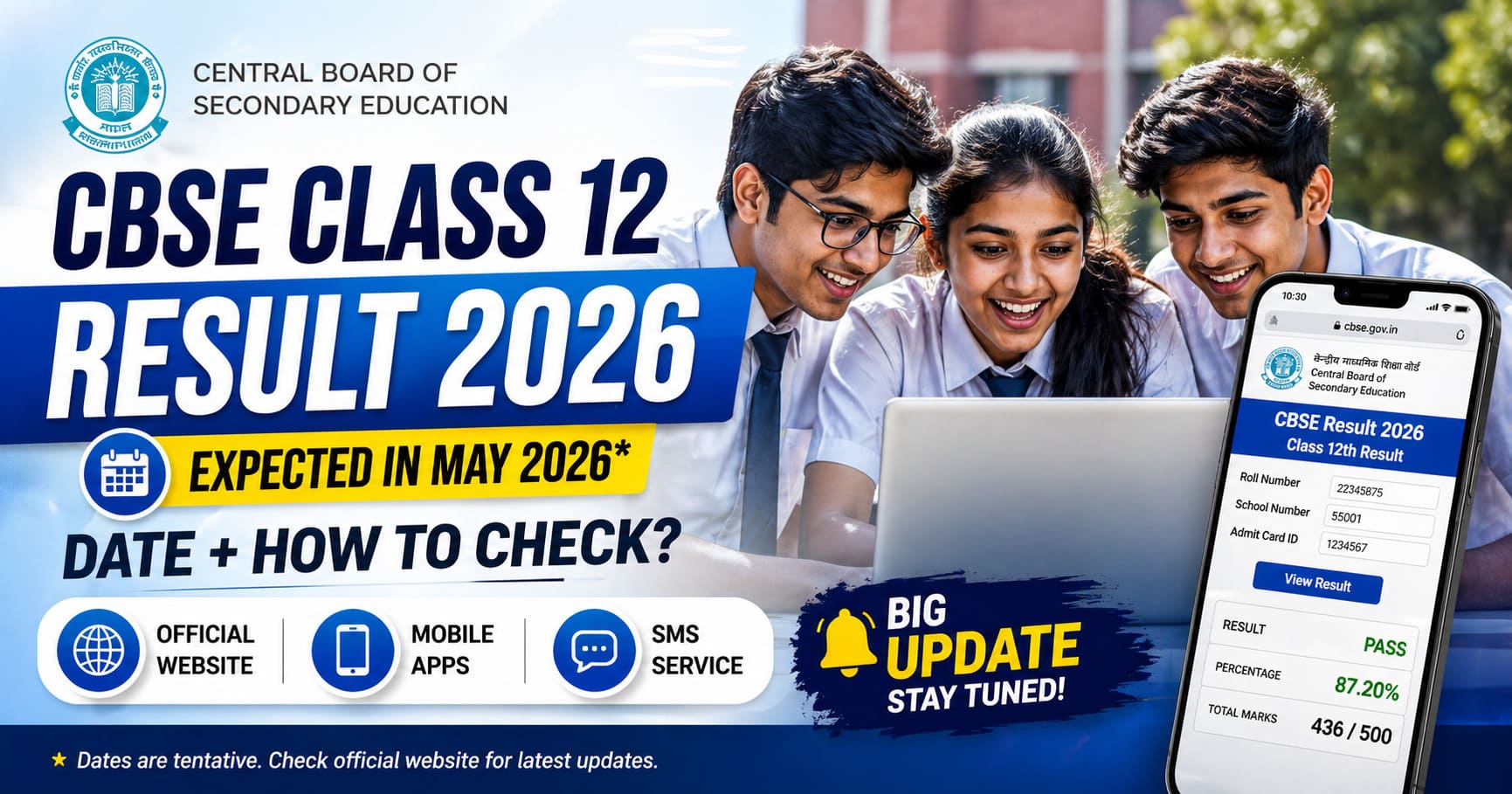
I still remember the summer of 2024 when my neighbor’s son, Arjun, was hitting refresh on the CBSE results page every 30 seconds starting at 1:50 PM. His hands were literally shaking. When the server crashed at 2:05 PM, he thought his result was lost forever. It took his mother another 20 minutes of patient waiting and switching browsers before the result finally loaded—and he’d scored 92%! But in that window, he’d gone from confident to panicked to relieved in what felt like an eternity.
That moment taught me something important: most of the stress around result day isn’t about the marks themselves—it’s about the uncertainty of the process, the unreliable websites, and not knowing what to do when things go wrong.
This comprehensive guide cuts through all that noise. I’ve combined official CBSE processes with real troubleshooting tips from students who’ve actually been through this.
CBSE Class 12 Result 2026 - Official Release Date, Time & How to Check Online
Waiting for your CBSE Class 12 results? The anticipation can be overwhelming, but getting reliable information about when and how to check your results is the first step. This comprehensive guide will walk you through everything you need to know about accessing your CBSE Class 12 result online, including the official release date, time, step-by-step checking process, and solutions for common problems.
When Will CBSE Class 12 Results Be Declared?
Official Release Date
The CBSE (Central Board of Secondary Education) typically announces Class 12 results in late May or early June each year. While the exact date can vary slightly, students can generally expect results within this window.
For 2026, based on CBSE’s historical pattern:
- Expected Result Date: Late May to Early June 2026
- Official Announcement: CBSE will announce the exact date 2-3 weeks before release
- How to Know: Check the official CBSE website (cbse.gov.in) for official notification
What Time Will Results Be Released?
The CBSE has declared results at 2:00 PM IST (Indian Standard Time) for the past several years. This timing is important because:
- Most students and parents refresh websites at this exact time, causing traffic spikes
- Website performance may be slow during the first 30-60 minutes
- All results are released simultaneously across all platforms
- Official announcements happen at this time via press conference
Pro Tip: If you experience website issues exactly at 2:00 PM, wait 15-20 minutes for traffic to reduce before trying again.
Historical Timeline (2023-2026)
Understanding CBSE’s pattern helps you prepare:
| Year | Exam Dates | Result Date | Days After Exam |
|---|---|---|---|
| 2023 | Feb 15 - Apr 4 | May 16 | ~42 days |
| 2024 | Feb 15 - Apr 5 | May 29 | ~54 days |
| 2025 | Feb 12 - Apr 4 | June 5 | ~62 days |
| 2026 | Expected Feb 15 - Apr 3 | Expected Late May | ~50-60 days |
Key Insight: CBSE typically takes 40-60 days to evaluate approximately 24 lakh Class 12 answer sheets. This is the standard evaluation timeline.
Where to Check Your CBSE Class 12 Results
Official CBSE Websites
There are two primary official websites where CBSE announces results and students can check them. Always use these official sources to avoid misinformation or phishing attempts.
1. CBSERESULTS.NIC.IN (Recommended)
Website: https://cbseresults.nic.in/
- Why use it: This is the primary official result portal
- Features: Server capacity is higher, usually faster than other options
- Data: Official results directly from CBSE database
- Evidence: Look for “NIC” in domain (National Informatics Centre - government agency)
- Best Time: Use right after 2:00 PM or after peak hours (4:00 PM onwards)
What You’ll Find:
- Board results for Class 10, 12, and vocational
- Compartment results
- Official marksheets
- Download facility for result PDF
2. CBSE.GOV.IN (Official CBSE Website)
Website: https://cbse.gov.in/
- Why use it: Official CBSE website with authoritative information
- Features: Notifications, important dates, result announcements
- Additional Info: FAQs, result statistics, official notices
- Best For: Confirming official dates and procedures
Important: While results can be checked here too, cbseresults.nic.in is optimized for result checking.
Alternative Official Checking Platforms
If the main sites are slow, these alternatives work:
3. DigiLocker
Website: https://www.digilocker.gov.in/
Advantages:
- IIT-backed platform (separate server capacity)
- Provides official digital marksheet
- Permanently stored in your digital locker
- Accepted by colleges for admission
- Can share directly with institutions
- Backup option if main portals are congested
Disadvantages:
- Requires Aadhaar registration
- Takes 24 hours to reflect after result announcement
4. UMANG Mobile App
App: UMANG (Unified Mobile Application for New-age Governance)
Advantages:
- Mobile-first interface (faster loading)
- Push notifications for result
- Less server load compared to web
- Easy navigation
- Can add multiple students
Disadvantages:
- Requires downloading the app
- Mobile interface may lack some features
How to Add Student in UMANG:
- Download and install UMANG app
- Go to Education section
- Search for “CBSE Result”
- Enter Roll Number, Date of Birth, School Code
- Add to favorites for quick access
Recommendation Hierarchy
- First Choice: cbseresults.nic.in (official, fastest)
- Second Choice: UMANG app (if web is slow)
- Backup: DigiLocker (for official digital copy)
- Last Resort: cbse.gov.in (if others fail)
Step-by-Step Guide to Check Your CBSE Result Online
Follow these detailed steps to check your CBSE Class 12 result. This process is the same whether using cbseresults.nic.in or alternative platforms.
Step 1: Visit the Official Website
- Open your web browser (Chrome, Firefox, Safari, Edge)
- Go to https://cbseresults.nic.in/
- Wait for the page to load completely
- Pro Tip: If the website is slow or showing “Server Error,” wait 10-15 minutes and try again
Screenshot Markers:
- Look for “CBSE” logo at the top
- Should display “Result Related Services” prominently
- Official notification banner with result date
Step 2: Select Your Board
- On the homepage, look for the “Board” dropdown menu
- Select “CBSE” from the available options
- The page will expand to show result options for different boards
Note: Don’t confuse with ICSE, State Boards, or other boards. Ensure you select CBSE.
Step 3: Choose Your Result Type
The website shows different result categories. For Class 12 final results, select:
During Regular Result Announcement:
- “Class XII Annual Examination” or “Class 12 Board Result”
Other Possible Options (if it’s after regular result):
- “Class XII Compartment Examination” (if taking compartment exam)
- “Class XII Improvement Examination” (if retaking any subject)
For your first check, select the main “Class XII Annual Examination” option.
Step 4: Enter Your Roll Number
- Find the “Roll Number” field
- Enter your 11-digit roll number from your admit card
Where to Find Roll Number:
- Admit card (printed during exam registration)
- Confirmation email from your school
- Your school’s notice board
- Contact your school office
Important:
- Roll number is different from registration number
- Must enter exactly as shown on admit card
- No spaces or extra characters
- Example format: 12345678901
Step 5: Enter Your Date of Birth
- Locate the “Date of Birth” field
- Enter in the format shown (usually DD/MM/YYYY)
- Example: 15/03/2008 (not 03/15/2008 or 2008-03-15)
Format Check:
- Day should be 01-31
- Month should be 01-12
- Year should be 2007-2010 range for Class 12 students
Common Error: Using wrong date format. Match the format shown in the input box exactly.
Step 6: Enter DISE Code OR School Name
This is where students often get confused. The website requires one of the following:
Option A: DISE Code (If You Have It)
What is DISE Code?
- 11-digit unique code for each school
- Assigned by CBSE
- Used for official identification
Where to Find It:
- School admission/registration letter
- Your admit card (sometimes)
- School website or prospectus
- Call your school office
- Example: 01234567890
How to Enter:
- Select “DISE Code” option if available
- Enter the 11-digit code
- Click “Search”
Option B: School Name (Easier Alternative)
If you don’t have the DISE code, use school name:
- Select “School Name” option from dropdown
- Start typing your school name
- A dropdown list will appear with matching schools
- Select your exact school from the list
Pro Tip:
- Type at least 3-4 letters of school name
- If many schools show up, add full name for accuracy
- Must select from the list (not type manually)
- Example: Search “Delhi Public School” and select correct branch
Step 7: Submit and View Your Result
- Click the “Submit” or “Get Result” button
- The page will fetch your result from CBSE database
- Your result will display on screen
What You’ll See:
- Student Information (Name, Roll Number, School)
- Subject-wise Marks (each subject with marks obtained)
- Grades for each subject (A1 = 91-100%, A2 = 81-90%, etc.)
- Total Marks Obtained
- Percentage
- Final Result Status (PASS/PASS WITH DISTINCTION)
- Issue Date and Verification Details
Step 8: Download and Save Your Result
- Look for “Download Result” or “Save as PDF” button
- Click to download your result as PDF
- Save the file with a clear name: “Name_RollNumber_Result.pdf”
- Keep multiple backups (email, cloud, external drive)
Why Save Immediately?
- Server load decreases after initial rush
- You have permanent digital record
- Proof for college submissions
- Backup if website is unavailable later
Step 9: Download Official Marksheet (Important)
After checking result, download your official marksheet:
- Look for “Marksheet” or “Certificate” option
- Click “Download Marksheet” button
- This is the official document needed for colleges
- Save and print 2-3 copies
Marksheet Contains:
- All subject marks (theory + practical)
- Percentage and CGPA
- Total marks calculation
- School stamp and CBSE verification
- Issue date
Note: This is different from the result display. Marksheet is the official document needed for college admission.
What If You Face Technical Issues?
Problem 1: Website Not Loading / “Server Error”
Symptoms: Page won’t load, shows “503 Service Unavailable” or spinning loading icon
Solutions:
- Wait and Retry: Website is overloaded. Wait 15-20 minutes, then refresh
- Clear Browser Cache:
- Press Ctrl + Shift + Delete
- Select “Cached images and files”
- Click “Clear data”
- Close and reopen browser
- Try Alternative Browser: If Chrome isn’t working, try Firefox or Safari
- Use Alternative Portal: Try UMANG app or DigiLocker instead
- Try Off-Peak Hours: Results are best accessible after 4:00 PM or next morning
- Check Your Internet: Ensure you have stable connection
- On Mobile: Use mobile data if WiFi is unstable
What NOT to Do: Don’t keep refreshing rapidly (it adds more load)
Problem 2: “Roll Number Not Found” Error
Symptoms: You’re entering correct roll number but getting error message
Causes & Solutions:
| Error Message | Possible Cause | Solution |
|---|---|---|
| Roll Number Not Found | Wrong roll number entered | Double-check admit card |
| DISE code mismatch | Use school name instead of DISE code | |
| School not found | Select exact school from dropdown | |
| Typo in entry | Re-enter carefully, no spaces | |
| Student not registered | Contact school to verify registration |
Step-by-Step Fix:
- Clear browser cache and try again
- Verify roll number from admit card (not registration number)
- Try using school name instead of DISE code
- Ensure date of birth matches exactly
- Contact your school if still not found
Problem 3: Wrong Date of Birth Error
Symptoms: “Date of Birth does not match our records”
Causes & Solutions:
- Wrong Format: If field shows DD/MM/YYYY, don’t use MM/DD/YYYY
- Typo in Entry: Verify birth date is correct
- School Record Mismatch: Your admission record birth date differs
- Fix: Contact school office to verify correct date of birth
How to Format Date Correctly:
- British Format (DD/MM/YYYY): 15/03/2008 ✓
- American Format (MM/DD/YYYY): 03/15/2008 ✗
- ISO Format (YYYY-MM-DD): 2008-03-15 ✗
- Check the field hint before entering
Problem 4: Page Timeout / Connection Lost
Symptoms: Message like “Connection timed out” or page loading forever
Solutions:
- Refresh the page: Press F5 or click refresh button
- Try incognito/private mode: Ctrl + Shift + N
- Disable browser extensions: Auto-refresh extensions cause issues
- Use different device: Try smartphone or different computer
- Wait during low-traffic hours: 4:00 PM onwards on result day
- Try next day: If problems persist, most issues resolve by next morning
Problem 5: Downloaded File is Corrupt or Won’t Open
Symptoms: PDF doesn’t open or shows garbled text
Solutions:
- Download Again: Delete previous file and download fresh
- Try Alternative Browser: Chrome and Firefox handle PDFs differently
- Use Online PDF Reader: Upload to Google Drive to view
- Check File Size: If less than 50KB, it’s incomplete - redownload
- Save as Different Format: Try saving as image instead of PDF
What to Do After Checking Your Results
Checking results is just the beginning. Here are critical next steps:
Immediate Actions (Same Day)
-
Verify Information:
- Confirm your name, roll number, and subject marks
- Check if all expected subjects are showing
- Verify total marks calculation
- If discrepancies found, contact school immediately
-
Save Everything:
- Download result PDF to multiple devices
- Email result to parents/guardians
- Take printout for records
- Save marksheet in cloud storage (Google Drive, OneDrive)
-
Share with Parents/Guardians:
- Inform them of results
- Discuss performance together
- Plan next steps collaboratively
Within 1-2 Days
-
Collect Physical Documents:
- Get official marksheet from school (physical copies)
- Ask for 5-10 certified copies
- Get school character certificate
- Prepare other required certificates
-
Check Important Details:
- Note your percentage and CGPA
- Check if you’re eligible for your chosen stream (Engineering, Medical, etc.)
- Understand your merit position
-
Register on College Portals:
- Most colleges open registrations post-result
- Register on merit list portals
- Create login credentials
Within 1 Week
-
Research Colleges:
- Compare college cutoffs with your marks
- Identify potential colleges
- Check admission requirements
- Review previous years’ merit lists
-
Prepare for Counseling:
- Know important counseling dates
- Prepare cost estimate for college education
- Research scholarship options
- Plan your college preferences
-
Take Stream-Specific Tests (if needed):
- JEE Main for Engineering
- NEET for Medical
- Entrance exams for specific programs
Frequently Asked Questions About CBSE Result
Q1: What if my result is not showing on the website?
A: This can happen for several reasons. Try these solutions in order:
- Wait 24 hours: Sometimes results take time to reflect on all portals
- Verify information: Check if roll number, DOB, and school are correct
- Try alternative portals: Use DigiLocker or UMANG app
- Contact school: They may have the result before portal shows it
- Check later: If still not showing after 24 hours, contact CBSE directly
CBSE Contact: Call 011-41702070 or email to official CBSE email address
Q2: Can I check my result via SMS?
A: No, SMS-based result checking has been discontinued. Results must be checked online through official websites or apps. However, UMANG app provides SMS-like push notifications when result is announced.
Q3: When will physical marksheets be available?
A: Physical marksheets are usually available:
- From School: 1-2 weeks after result announcement
- Direct from CBSE: On application with fee (₹500-1000 approximately)
- Validity: Physical marksheet is valid for lifetime; no expiry date
Request from your school office, as it’s usually faster.
Q4: What if there’s a mistake in my marks or name?
A: Follow this process:
- Immediate: Contact your school principal/examination officer
- Verification Request: Schools can request verification within 15 days of result
- Re-evaluation: Available for additional fee (₹200-500 per subject)
- Process: School submits verification request to CBSE
- Timeline: You get result within 1 month
Important: Act quickly, as timelines are strict.
Q5: How do I get a duplicate/replacement marksheet?
A: If your physical marksheet is lost or damaged:
- Apply Online: Visit cbse.gov.in and look for “Lost Certificate Application”
- Documents Needed:
- Identity proof (Aadhar/PAN)
- Affidavit of loss
- School bonafide certificate
- Fee: Approximately ₹500-1000
- Timeline: Processed within 4-6 weeks
- Alternative: DigiLocker provides lifetime digital access (doesn’t expire)
Q6: Can I check my result before the official announcement?
A: No. Leaked results circulating on WhatsApp or social media are:
- Unverified and often incorrect
- Can be from outdated databases
- Cause unnecessary stress if they differ
Always wait for official announcement at 2:00 PM on result day from CBSE.
Q7: Is my digital (PDF) result as valid as physical marksheet?
A: For most purposes, yes:
- Colleges: Accept digital result for merit lists and admission
- Job Applications: Usually require physical marksheet
- Digital Locker: Official digital copy is legally recognized
- Best Practice: Have both physical and digital copies
Q8: What if I missed the result announcement date?
A: Results don’t expire. You can check anytime:
- On CBSE websites: Results available year-round
- DigiLocker: Permanently stored
- From School: Can collect physical copies anytime
- Important: Don’t delay college admission process
Results are never removed from official portals.
Important Tips for a Smooth Result Checking Experience
Before Result Day
- ✅ Have your admit card nearby
- ✅ Know your roll number and date of birth
- ✅ Have school DISE code or name ready
- ✅ Test internet connection beforehand
- ✅ Inform parents/guardians about result date
- ✅ Keep a notepad for recording important details
On Result Day (After 2:00 PM)
- ✅ Use cbseresults.nic.in or UMANG app
- ✅ If slow, wait 15-20 minutes instead of refreshing
- ✅ Download result immediately after checking
- ✅ Take screenshots as backup
- ✅ Double-check all information on screen
- ✅ Email/save result to multiple locations
After Results
- ✅ Get physical marksheet within a week
- ✅ Keep 5-10 certified copies
- ✅ Register on college portals immediately
- ✅ Research colleges matching your score
- ✅ Note important counseling dates
- ✅ Start preparing for entrance exams (if needed)
Key Takeaways
- Result Date: Expect late May to early June 2026; official announcement will confirm exact date
- Result Time: 2:00 PM IST (be patient with website traffic)
- Best Websites: cbseresults.nic.in (primary) or UMANG app (backup)
- Checking Steps: 9 simple steps from visiting website to downloading marksheet
- Common Issues: Most problems resolve with waiting or trying alternative platforms
- Documentation: Download and save immediately; get physical marksheets within a week
- Next Steps: Research colleges, register on portals, prepare for counseling
Final Thoughts
Your CBSE Class 12 result is an important milestone, but it’s not the end—it’s the beginning of your next phase. Whether your results meet expectations or not, remember that this score is just one factor in your overall journey. Focus on using it to make informed decisions about your stream, college choice, and future path.
Stay calm, follow the checking process carefully, and don’t hesitate to reach out to your school or CBSE if you have questions.
Good luck with your results! You’ve got this! 🎓
Related Resources
- Understanding Your CBSE Score: Marks Calculation & CGPA Explained
- College Admission After CBSE Result: Merit Lists & Counseling Guide
- Stream Selection Guide: Engineering, Medical, Commerce & Arts
Last Updated: April 2026 | This guide is based on CBSE’s official processes and historical patterns. For latest updates, always check cbse.gov.in